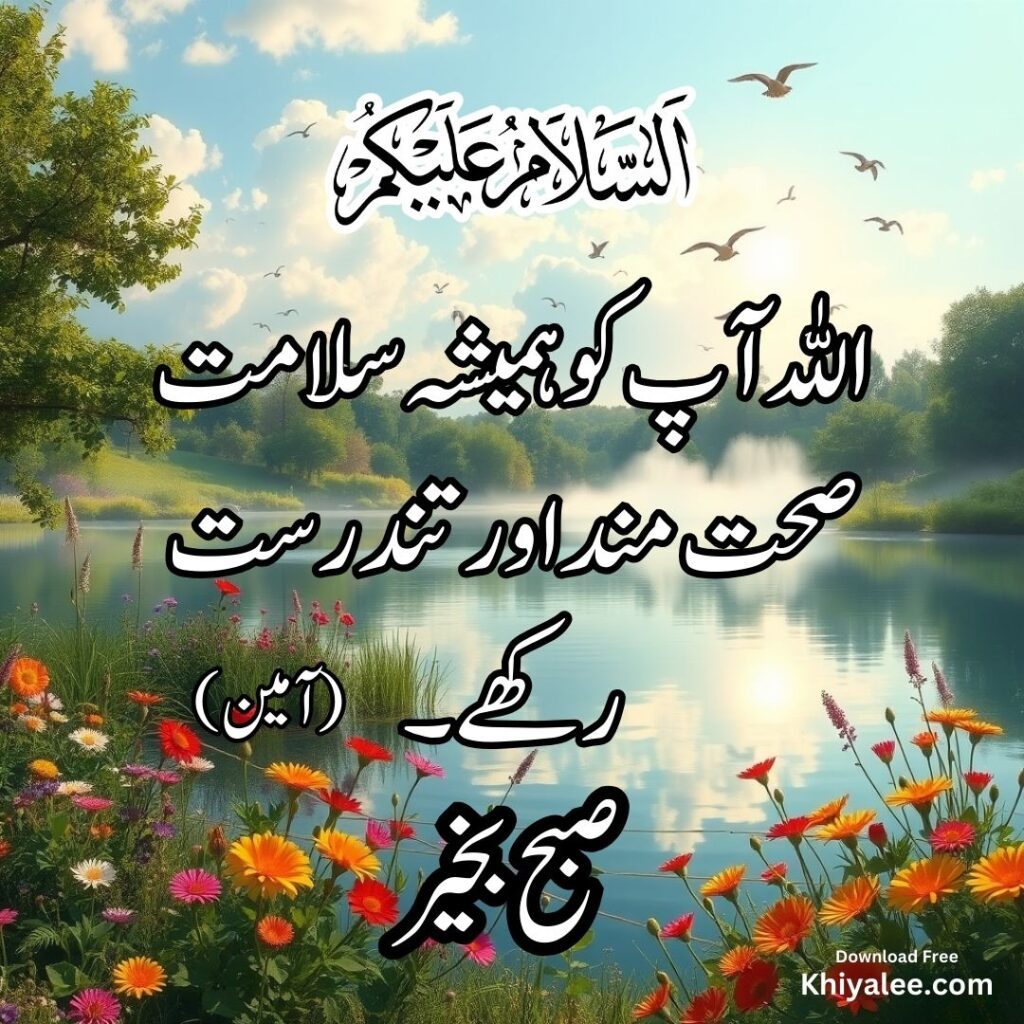
Make a good morning dua card with readable Arabic, Urdu and English meanings, and a visible reference. This guide explains how to choose the right prayer, prepare a clear image and share it responsibly with family or friends.
Use the Good Morning Dua Card Maker → Browse all tools
Choose the prayer before choosing the design
A morning greeting and a narrated dua serve different purposes. Subah Bakhair simply means good morning. It is not automatically a hadith when placed above an Arabic supplication. In the card maker, the waking-up prayer is linked to Sahih al-Bukhari 6324. A second option uses the supplication excerpt from Quran 2:201, asking for goodness in this life and the next. That prayer can be used generally; the card does not imply a special morning-only instruction.
How to make a good morning dua card
- Open the card maker. Use the pink button above to open the tool.
- Choose your words. Select a sourced dua, or choose Write your own text. For a custom card, type into the Arabic, Urdu or English fields. You can leave a language blank.
- Select the languages. Choose Urdu and English together, Urdu only or English only. Arabic is shown when the selected dua or your custom text includes it.
- Choose a background. Pick a floral, arch or cream floral Islamic frame from the background list. For a simple card, choose Simple theme and select white or navy.
- Use your own image if you prefer. Press Upload your background image and choose a PNG, JPG or WebP from your device.
- Choose the size. Select Match background image ratio to follow your image’s shape, or choose square or portrait.
- Review and download. Read all the words in the preview, then press Download dua card PNG. Open the saved image to check it before sharing.
Add your own Urdu, Arabic or English message
The custom text option is useful for a short Subah Bakhair wish or a personal message for family. For example, you can write “اللہ آپ کی صبح خوشیوں اور سکون سے بھر دے۔” and add your own English wording beneath it. Each text field accepts up to 300 characters. Short messages are easier to read, especially inside decorative frames.
Custom cards are labelled User-provided wording. The tool does not check whether text you enter is Quran or hadith, and it does not translate your custom message automatically. Enter the wording you want in each language and check any religious quotation against its source.
Choose an Islamic frame or upload a background
The background list includes selected empty-centre designs from Khiyalee’s media collection, including a cream floral frame from the Islamic frames collection. The dua text is positioned inside the blank area. Only the selected background loads, so you do not need to download the whole collection to make one card.
For your own background, use PNG, JPG or WebP, up to 8 MB and below 20 megapixels. Image ratios between 1:2 and 2:1 are supported. Choose a clear image with an empty centre and avoid backgrounds with existing writing. The tool adds a light panel over uploaded backgrounds to help the words remain readable.
To replace the upload, choose another file. To clear it, press Remove uploaded background; the tool returns to the simple theme.
Which image size should I choose?
- Match background image ratio: follows the selected background’s proportions. A square frame stays square; a landscape upload stays landscape. The download is 1080 pixels wide, with height calculated from the image ratio.
- Square — 1080 × 1080: a compact choice for sharing in messages or social feeds.
- Portrait — 1080 × 1440: gives longer content more vertical space. A square library frame remains square inside the portrait canvas.
Selecting a library frame or uploading an image automatically selects the matching ratio. You can change the size afterwards. Text reduces in size to fit the available space, so shorten long messages if the preview becomes too small.
What happens to my uploaded image?
Your background is read locally in your browser. It is not uploaded to Khiyalee or added to the WordPress Media Library. Reloading or closing the tool clears the selected upload and any custom text from the tool. Download your finished card before leaving. A PNG you download stays on your device until you delete it yourself.
Readability matters more than decoration
Keep Arabic large enough to read on a phone. Diacritics can disappear in a small screenshot, so use the downloaded original rather than repeatedly forwarding compressed copies. Urdu needs generous line spacing, especially with Nastaliq fonts. The tool uses fonts available in the browser; appearance may differ between devices. Review the image at its intended display size before sharing it.
A square card is convenient for a message or feed. The portrait option gives the same content additional space. Neither image shape changes the words or the religious status of the prayer. Avoid cropping off the reference or covering it with stickers, logos or an unrelated caption.
Arabic text, meanings and references
The sourced Arabic options remain fixed selections rather than generated wording. Custom cards use exactly the text you enter and identify it as user-provided. Check any custom quotation yourself; the tool does not authenticate it. Urdu and English are simple explanatory meanings for understanding, not a claim to reproduce a named scholar’s published translation. The Quran option explicitly identifies itself as a supplication excerpt. For fuller context, open the source link and read the surrounding material.
When copying the dua, include the source number and link. A reference is more useful than a vague “authentic dua” label. Do not add guaranteed results, special rewards or a recitation count unless a checked source supports that particular statement.
Sharing on WhatsApp and social media
After downloading, open the image on your device and zoom in to check all three scripts. You can send it as an image, or use your messaging app’s file attachment option to preserve quality where supported. The tool does not post to your accounts or message anybody automatically. You choose the recipients and accompanying words.
Frequently asked questions
Does the card maker write new Islamic prayers?
The sourced options select from two fixed supplications. You can also type your own words, which are labelled as user-provided and not authenticated. The greeting is separate from the Arabic prayer.
Is Quran 2:201 specifically a morning dua?
No. The tool labels it as a general Quranic supplication and includes only its dua portion, not the full verse.
Can I use the tool on a phone?
The controls stack on narrow screens, and the download is produced in the browser. Font rendering can vary, so check the preview before saving.
Is an account required?
No account or paid processing API is required. Standard website analytics and advertising may still apply.
Create your good morning dua card →
Read more good morning duas in Urdu. References: Sahih al-Bukhari 6324 and Quran 2:201.